Nginx 使用证书ssl 安全访问
-
centos 下载nginx
yum -y install nginx -
启动nginx
systemctl start nginx.server / systemctl start nginx -
添加开机自启动
systemctl enable nginx.server -
查看nginx状态
nginx -v / nginx -V -
配置nginx,
注意细节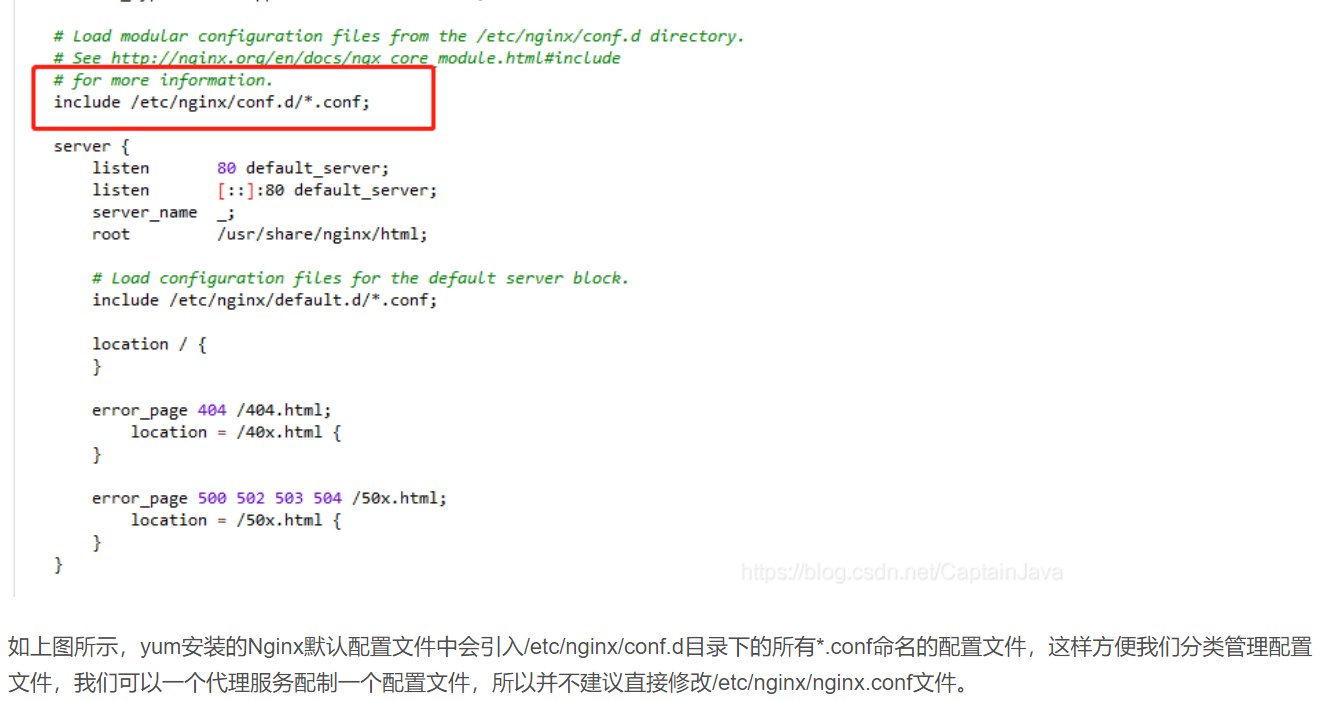
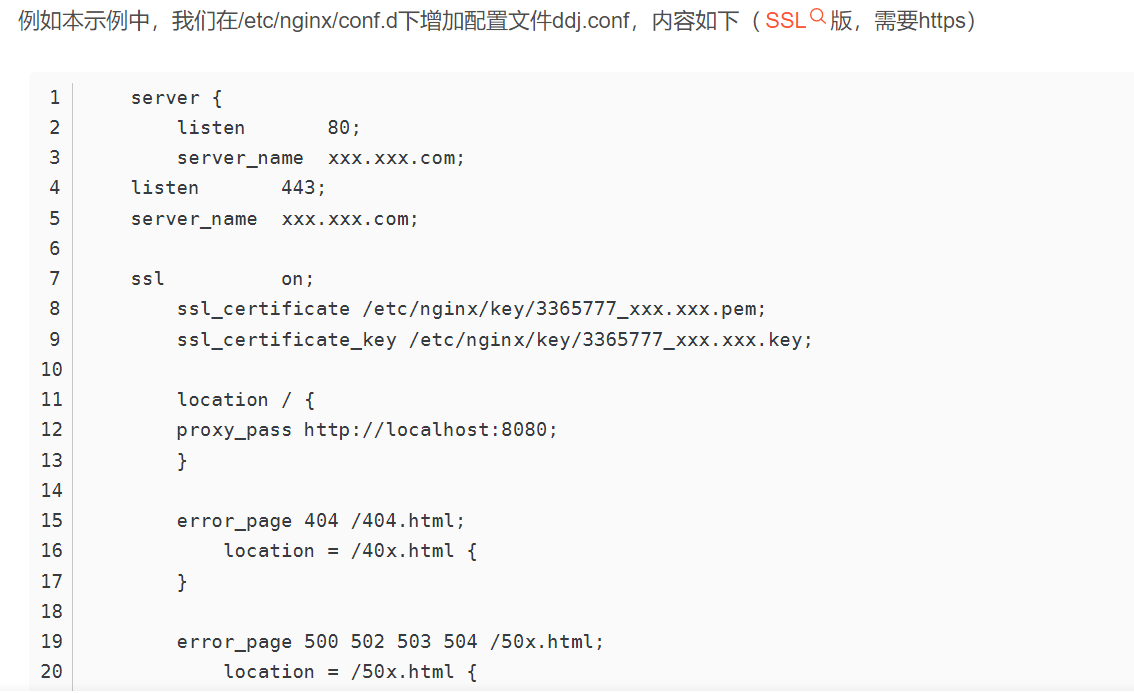
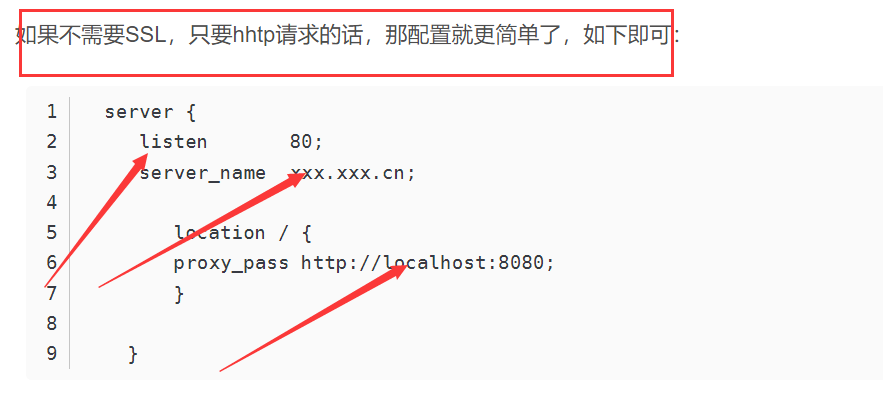
-
-
xxx.xxx.com:我们服务器对应的域名。
-
ssl_certificate /etc/nginx/key/3365777_xxx.xxx.pem;和ssl_certificate_key /etc/nginx/key/3365777_xxx.xxx.key;是我们的ssl证书。此证书可以在阿里云免费申请。申请好下载下来放到服务器上配制好配置文件中的路径即可。
-
proxy_pass http://localhost:8080对应我们本地要代理的程序访问端口8080,域名跳转的网址
-
-
修改了Nginx配置后重启一下服务
systemctl restart nginx.service -
常用命令
#1、启动nginx服务
systemctl start nginx.service

#2、设置开机自启动
systemctl enable nginx.service

#3、停止开机自启动
systemctl disable nginx.service

#4、查看服务当前状态
systemctl status nginx.service

#5、重新启动服务
systemctl restart nginx.service

#6、查看所有已启动的服务
systemctl list-units --type=service
可恶的 kex_exchange_identification: Connection closed by remote host
-
突然之间出现这个报错,
网络问题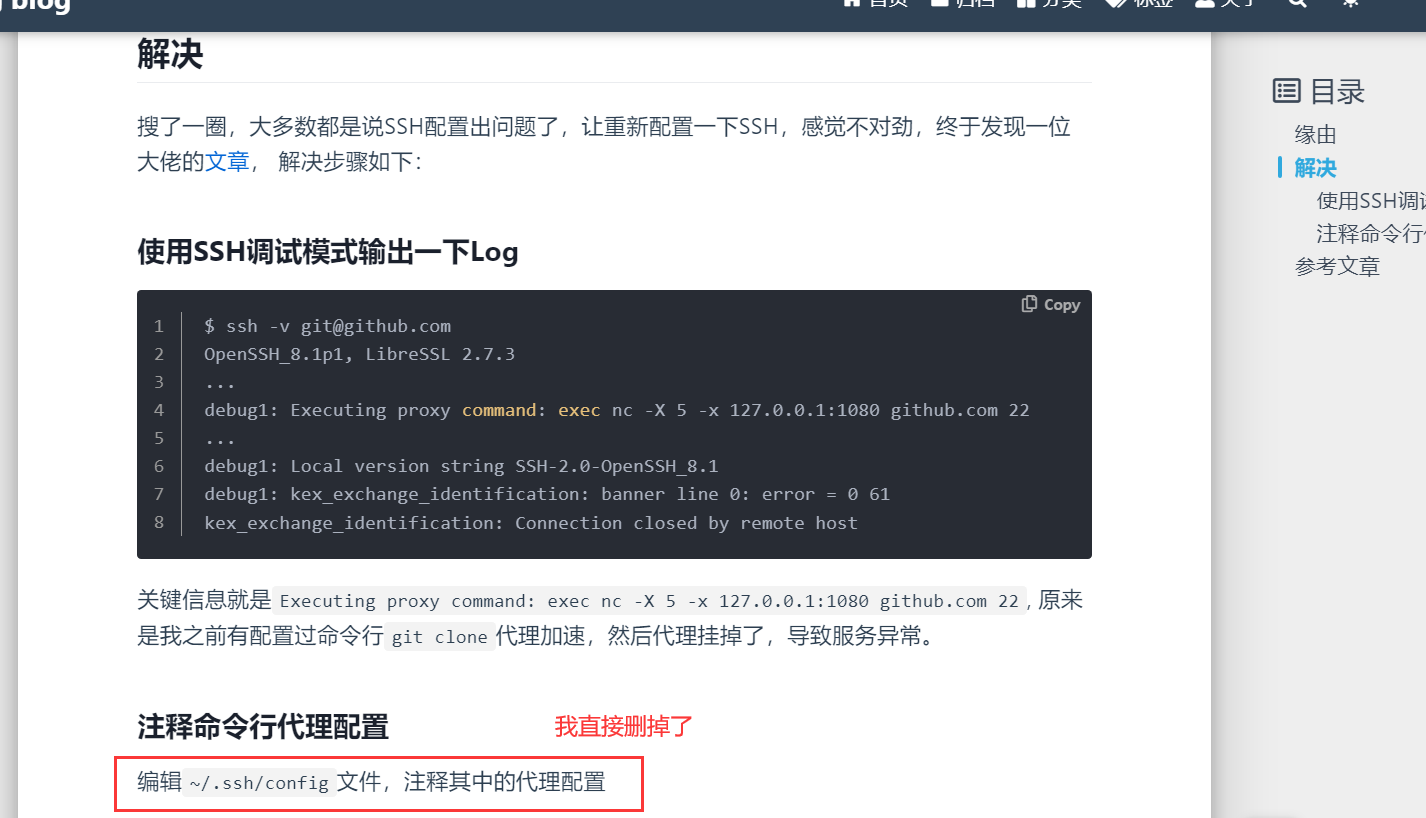
解决Failed to restart docker.service: Unit docker.service not found.无需重装 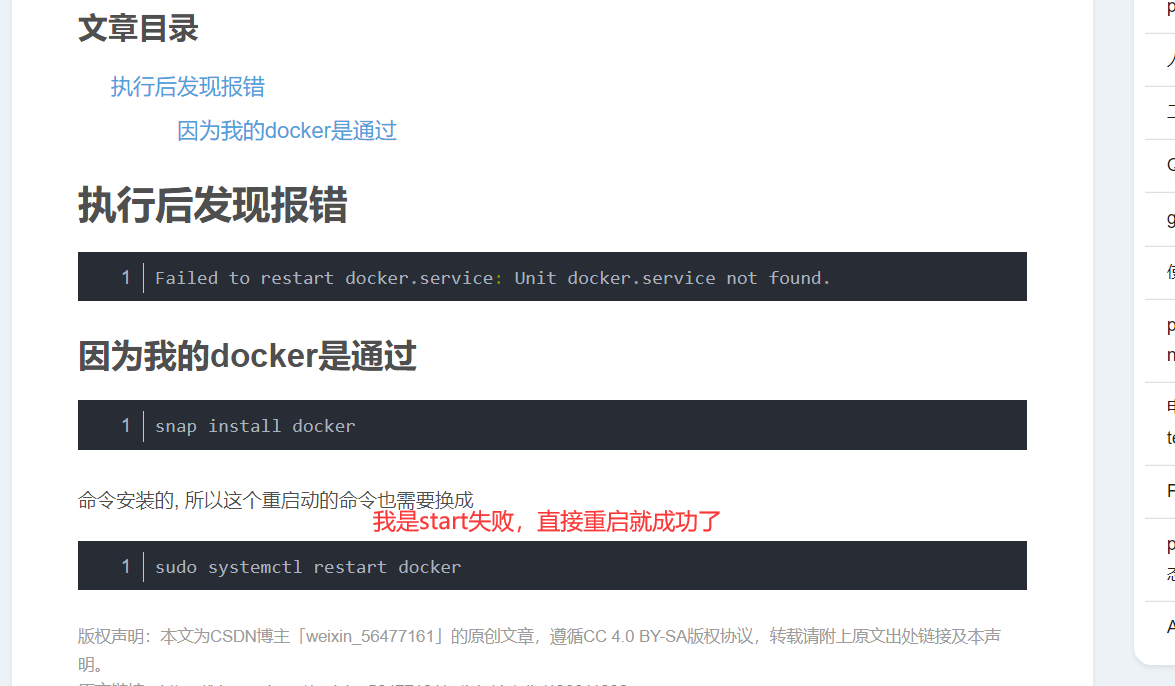
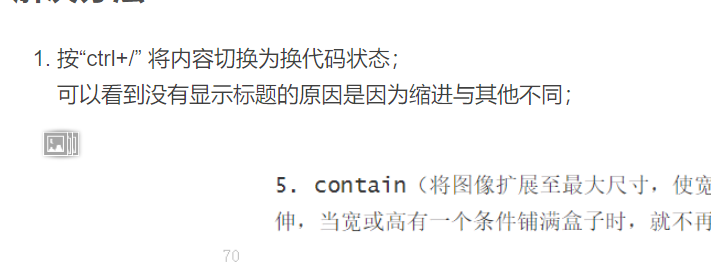
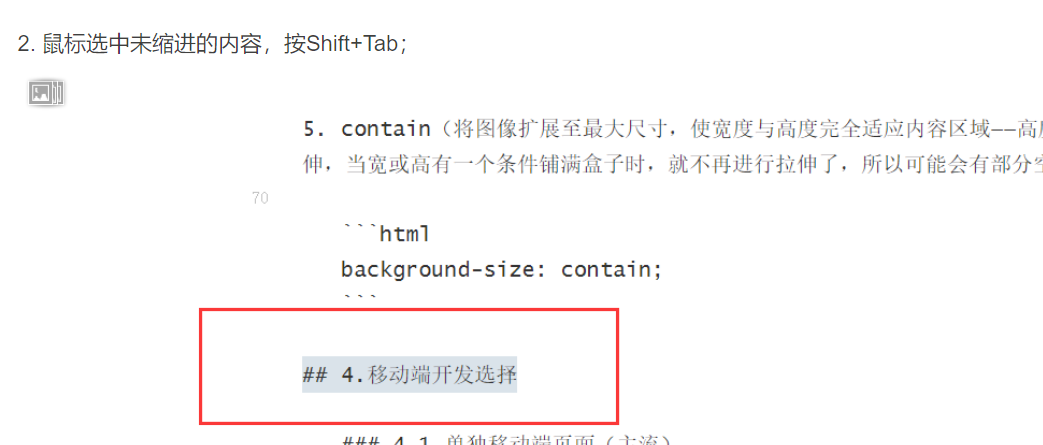
解决Typora中设置标题,对应大纲中不显示的问题
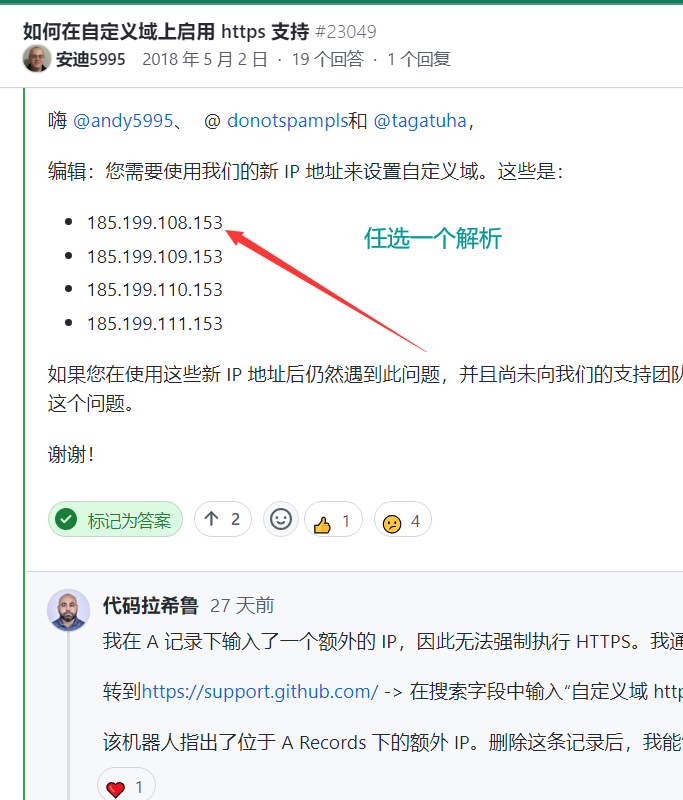
GitHub pages 设置自定义域名失败
-
-
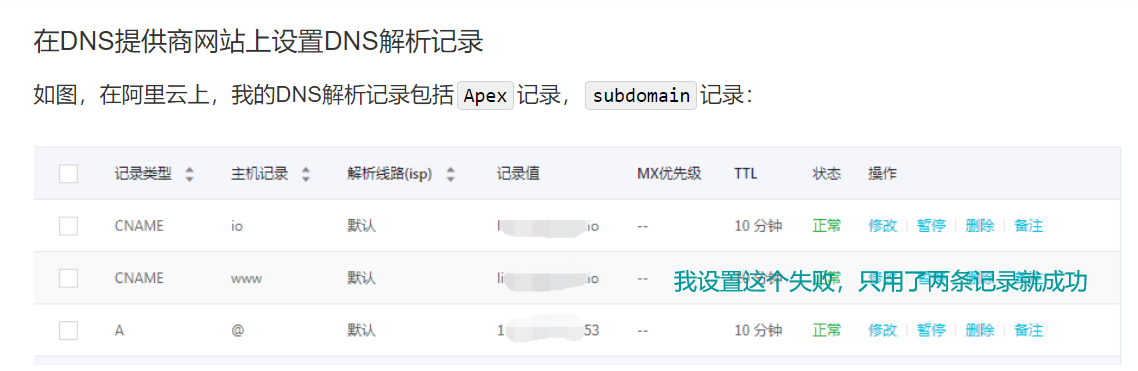
设置两条记录后 出现你的连接是不安全的情况 等一会儿又正常了。
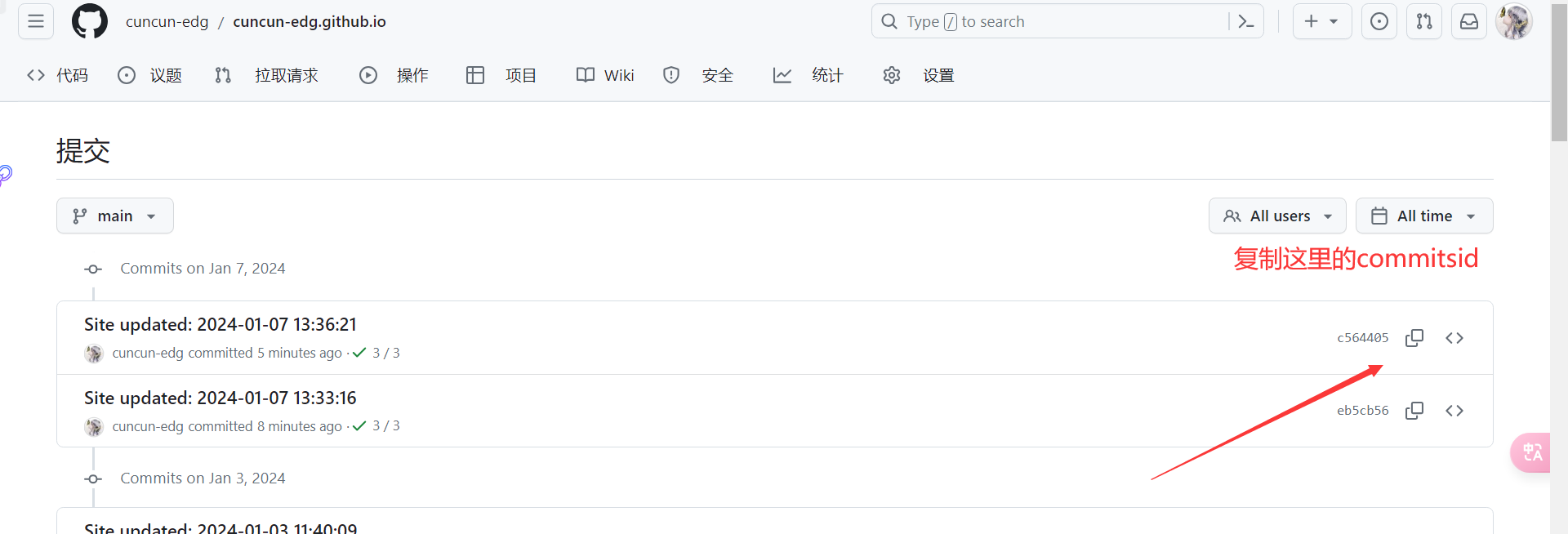
上传大文件而导致hexo部署时失败
- cd .deploy_git
- git reset --hard commitId 恢复最后一次成功的提交
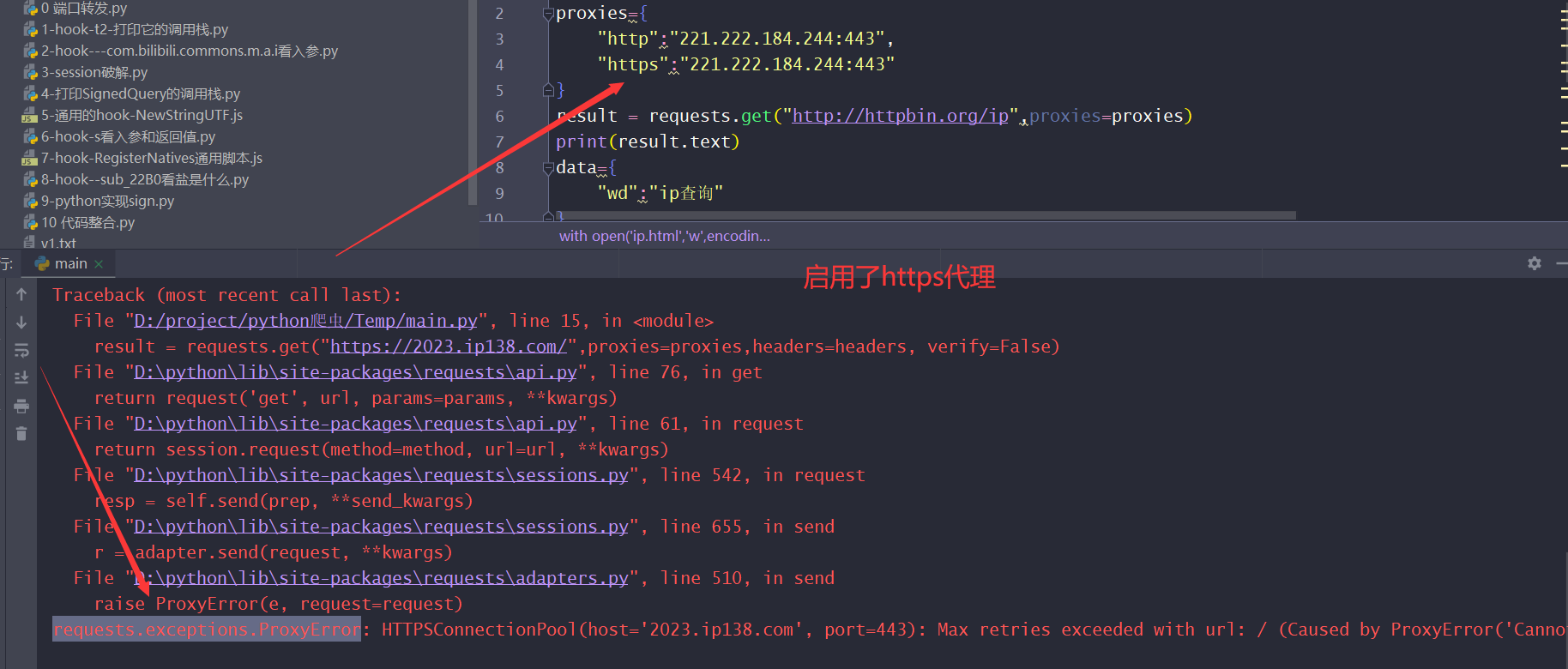
requests.exceptions.ProxyError
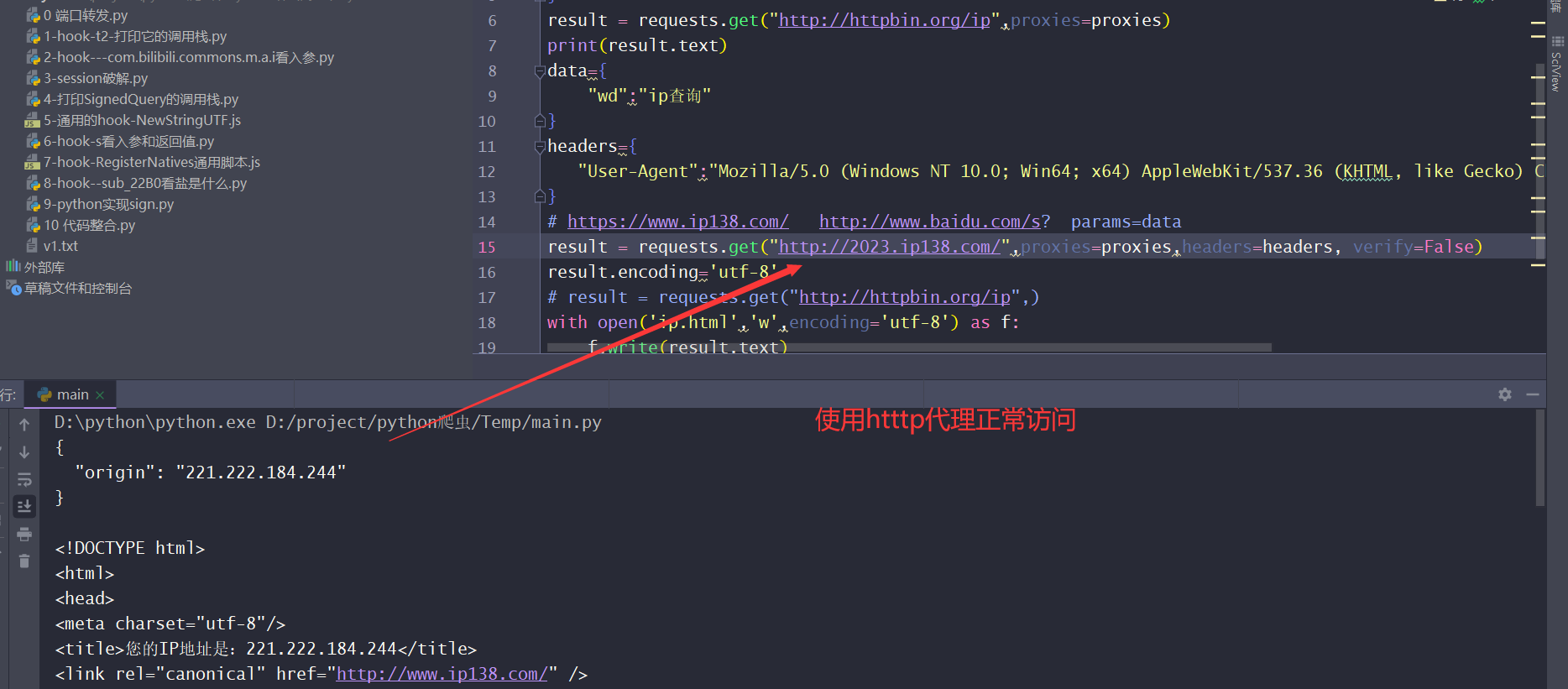
- ip代理问题,一般免费的ip,不支持https
win10右下角拼
课表页面美化
网址:http://qzjwxt.kjxy.nchu.edu.cn:800/jsxsd/framework/xsMain.jsp
- 使用了异步,无法直接使用
querySelectorAll获得元素 - 油猴中的匹配网址
- 之前是 http://qzjwxt.kjxy.nchu.edu.cn:800/jsxsd/framework/xsMain.jsp
- 正确的—》 // @match http://qzjwxt.kjxy.nchu.edu.cn:800/*
//当新加入元素节点时,运行的函数
function extractLinks(node) {
    let td, tds;
    const tableElements = node.querySelectorAll('.table.table-bordered.table-hover.table-striped.kb_table');
    tableElements.forEach(tb => {
        let tbodyElement = tb.querySelector('tbody').querySelectorAll('tr'); //tr  NodeList
        tbodyElement.forEach(tr => {
            tds = tr.querySelectorAll('td');

            tds.forEach(function (td, index) {
                if (index == today) {
                    console.log(td);
                }
            })
        })
    })
}
// 监视文档变化 mutationsList一个包含所有发生的变化的数组
function observeDocument(mutationsList) {
    mutationsList.forEach(mutation => {
        mutation.addedNodes.forEach(node => {  //mutation.addedNodes,它是一个包含已添加到文档的新节点的集合
            if (node.nodeType === Node.ELEMENT_NODE) {
                // nodeType 是否为 Node.ELEMENT_NODE,以确保它是一个元素节点
                extractLinks(node);//执行自定义函数
            }
        });
    });
}
const observer = new MutationObserver(observeDocument); //创建实例对象,回调函数
observer.observe(document.documentElement, { //document.documentElement 表示整个文档的根元素
    childList: true, //指定要监视的目标和监视的选项
    subtree: true
});